Bezoekersregistratie Software

Meest volledige bezoekersregistratiesoftware op de markt !

Meer Info

[:nl]Waarom kiezen voor ADECVisit bezoekersregistratie ?[:en]Why choose ADECVisit visitor registration?[:fr]Pourquoi choisir le software des régistration des visiteurs ADECVisit?[:]

[:nl]

  • Alle bezoekersgegevens blijven op uw servers. Er wordt niets online opgeslagen.
  • Onze bezoekersregistratie software is reeds volledig klaar voor de nieuwe GDPR wetgeving (=Algemene Verordening Gegevensbescherming of AVG) die vanaf 25 mei 2018 verplicht is.
  • Onze bezoekers registratie software volledig naar uw wensen kan worden aangepast.
  • U wil natuurlijk altijd weten wie er in uw bedrijf aanwezig is.
  • U kan gebruik maken van een speciale badgeprinter die de badges tot 50 keer kan hergebruiken = kostenbesparing.

[:en]

  • All visitor data remains on your servers. Nothing is stored online.
  • Our visitor registration software is already completely ready for the new GDPR legislation (= General Data Protection Regulation or AVG) that is mandatory from 25 May 2018.
  • Our visitor registration software can be completely adapted to your wishes.
  • You always want to know who is present in your company.
  • You can use a special badge printer that can re-use the badges up to 50 times = cost savings.

[:fr]

  • Toutes les données des visiteurs restent sur vos serveurs. Rien n’est stocké en ligne.
  • Notre logiciel d’enregistrement des visiteurs est déjà prêt pour la nouvelle législation GDPR (= General Data Protection Regulation ou AVG), obligatoire à partir du 25 mai 2018.
  • Notre logiciel d’enregistrement des visiteurs peut être complètement adapté à vos souhaits.
  • Vous voulez toujours savoir qui est présent dans votre entreprise.
  • Vous pouvez utiliser une imprimante de badge spéciale qui peut réutiliser les badges jusqu’à 50 fois = économies de coûts.

[:]

[:nl]Gebruik van bezoekersregistratie systeem[:en]Use of the visitor registration system[:fr]Utilisation du système d’enregistrement des visiteurs[:]

[:nl]Binnenkort wordt deze video vervangen door beelden van de nieuwe versie van ADECVisit.

Onderstaande video toont het gebruik en de mogelijkheden van het bezoekersregistratiesysteem.
Als u nog vragen of opmerkingen zou hebben aarzel niet om ons te contacteren.

[:en]Soon this video will be replaced by images from the new version of ADECVisit.

  The video below shows the use and capabilities of the visitor registration system.

If you have any questions or comments don’t hesitate to contact us.

[:fr]

  Bientôt cette vidéo sera remplacée par des images de la nouvelle version d’ADECVisit.

La vidéo ci-dessous montre l’utilisation et les fonctionnalités du système d’enregistrement visiteur.
Si vous avez des questions ou commentaires aurait s’il vous plaît n’hésitez pas à nous contacter.

[:]

[:nl]Mogelijkheden van het bezoekersregistratie systeem[:en]Opportunities of the visitor registration system[:fr]Possibilités du système d’enregistrement visiteur[:]

[:nl]

  • Op voorhand aankondigen van bezoekers (zowel individueel als in groep).
  • Binnen de 10 seconden is de professionele bezoekersbadge met foto afgedrukt.
  • In geval van evacuatie kan vanuit het bezoekersregistratiesysteem een lijst van alle aanwezige bezoekers afgedrukt worden met 1 druk op de knop.
  • Aankondiging door bezoekers zelf (zelfregistratie) of door een onthaalbediende.
  • Realtime overzicht aangekondigde, aanwezige en historiek bezoekers.
  • Koppeling met badgeprinter.
  • bezoekersgegevens worden automatisch ingelezen vanaf de Belgische elektronische identiteitskaart (eID).
  • Bezoekersgegevens kunnen ook ingelezen worden aan de hand van het internationaal paspoort en de identiteitskaarten van 94 verschillende landen: automatisch inlezen van alle persoonsgegevens aan de hand van automatische scan van de identiteitsdocumenten.
  • Bij het manueel ingeven van bezoekersgegevens kan je met een webcam een foto nemen voor op de bezoekersbadge.
  • Het is ook mogelijk om andere identiteitsdocumenten in te scannen en te koppelen aan de bezoeker.
  • Toevoegen van nummerplaat van voertuig bezoeker is mogelijk (parkingbeheer).
  • Beheren van meerdere vestigingen is ook mogelijk. Beheer van (vergader)zalen per vestiging.
  • Integratie in kiosksysteem met Touch Screen.
  • Er wordt automatisch een mail gestuurd naar de desbetreffende medewerker of dienst bij aankomst van zijn of haar bezoeker.
  • Ook kan er een SMS verstuurd worden naar de desbetreffende medewerker of dienst bij aankomst van zijn of haar bezoeker.
  • Beheer van WIFI codes met afdruk op bezoekersbadge is ook mogelijk.
  • Integratie met Active Directory mogelijk voor import medewerkers en hun email adressen.
  • Database lokaal opgeslagen of op HF C/S of Microsoft SQL Server.
  • De software is volledig meertalig: Nederlands, Frans, Engels en Duits.

[:en]

  • Pre-registration visitors (indiviuals and groups).
  • Self-registration (auto-inscription) or by the receptionist.
  • Within 10 seconds a professional visitors badge with photo is printed.
  • In case of evacuation the visitor registration system can print a list of the present visitors with 1 push on the button.
  • Overview of visits : actual visits, announced visits in real time.
  • Link with badge printer.
  • Automatic reading of persons information with belgian electronic identity card (eID).
  • Reading personal information from international pasport and identity cards of 94 countries: reading all data by auto-scanning the identity document.
  • When you enter the visitors data manually, you can take a photo using a webcam to put on the visitors badge.
  • You can associate other documents to a visitor.
  • You can add a licence plate (parking management).
  • Several sites can be linked to each other. Site dependant room management.
  • Integration in kiosk system with touchscreen.
  • An email is send automatically to the employee or departement on arrival of his visitor.
  • An SMS is send automatically to the employee or departement on arrival of his visitor.
  • Wifi code mangagement with possibility to print the code on badge.
  • Link with Active Directory to import the employees and their email.
  • Database stored locally or on  HF C/S or Microsoft SQL Server.
  • The software is multilanguage: German, French, English and Dutch.

[:fr]

  • À l’avance, annonçant visiteurs (individuellement et en groupe).
  • Annonce par les visiteurs eux-mêmes (auto-inscription) ou par un employé reception.
  • Dans les 10 secondes un badge visiteurs professionnels avec photo imprimée.
  • En cas d’évacuation le système d’enregistrement visiteurs peut imprimer une liste de tous les visiteurs avec 1 click sur le bouton.
  • Historique, supervue des visiteurs présent et annoncé en temps réel.
  • Lien avec imprimante de badge.
  • Lire automatiquement les données des visiteurs avec la carte d’identité électronique (eID) belge.
  • Lire les données des visiteurs sur base du passeport international et les cartes d’identités de 94 pays: chargement de toutes les données à caractère personnel sur la base de l’analyse automatique des documents d’identité automatique.
  • Avec l’entrée manuelle des données de visiteur, vous pouvez prendre une photo avec une webcam pour le badge de visiteur.
  • Il est également possible d’associer d’autres documents d’identité au visiteur.
  • Ajout de plaque d’immatriculation de véhicule du visiteur est possible (gestion de parking).
  • Il est également possible de gérer plusieurs sites. Gestion des salles (de réunion) par site.
  • Intégration dans le système de kiosque avec l’écran tactile.
  • Envoi automatiquement un courriel aux employés concernés ou au département à l’arrivée de son visiteur.
  • Envoi automatiquement un SMS aux employés concernés ou au département à l’arrivée de son visiteur.
  • Gestion des codes WIFI avec la possibilité de les imprimer sur le badge.
  • Intégration avec Active Directory pour l’importation des employés et leurs adresses e-mail.
  • Database sur pc local ou sur serveur HF C/S ou Microsoft SQL Server.
  • Le logiciel est complètement multilingue : allemand, français, anglais et néerlandais.

[:]

[:nl]Inlezen van gegevens[:en]Reading data[:fr]Lecture des données[:]

[:nl]Het inlezen van de gegevens van de bezoekers kan op veel verschillende manieren:

  • Manuele ingave met behulp van een toetsenbord (eventueel in combinatie met een webcam voor de foto van de bezoeker)
  • Inlezen van de Belgische electronische identiteitskaart met behulp van een electronische identiteitskaartlezer.
    Zo hebt u met een klik van de muis direct de juiste spelling van naam, voornaam en andere gegevens.
    Ook de foto die op de eID kaart staat wordt automatisch ingelezen.
  • Inlezen van identiteitsdocumenten of paspoort van internationale bezoekers uit 94 verschillende landen met behulp van een paspoortscanner.
    De belangrijkste gegevens en de foto worden automatisch ingelezen.
  • Voor evenementen met veel bezoekers kan het programma automatisch Excel lijsten van bezoekers inlezen en verwerken.
  • Automatisch inlezen bezoekersgegevens via gestructureerd email verkeer.

[:en]Reading of the visitors data is possible in many different ways:

  • Manual entry using a keyboard (possible in combination with a webcam for the picture of the visitor)
  • Reading the Belgian electronic identity card using an electronic ID reader.
    With one click of the mouse instantly correct spelling of last name, first name and other data.
    The photo on the eID card is also automatically read.
  • Reading of identity documents or passport of international visitors from 94 different countries using a passport scanner.
    The most important data and the photo can be automatically read.
  • For events with many visitors, the program can automatically load and process Excel lists of visitors.
  • Automated visitor creation using structured email traffic.

[:fr]La lecture des données des visiteurs peut se passer en beaucoup de manières différentes :

  • Saisie manuelle à l’aide d’un clavier (éventuellement en combinaison avec une webcam pour l’image du visiteur)
  • Lecture de la carte d’identité électronique belge à l’aide d’un lecteur électronique.
    On reçoit instantanément l’orthographe du nom de famille, prénom et autres données avec un simple clic de la souris.
    Aussi la photo sur la carte eID est automatiquement lu.
  • Chargement de documents d’identité de 94 pays ou du passeport internationaux des visiteurs à l’aide d’un scanner de passeport.
    Les données les plus importantes et la photo peuvent être lu automatiquement.
  • Pour les événements avec beaucoup de visiteurs, le programme peut automatiquement charger et traiter des listes Excel des visiteurs.
  • Lecture automatic des données visiteurs en utilisant des mails structurés.

[:]

[:nl]Afdrukken met de badgeprinter[:en]Printing with the badge printer[:fr]Impression avec l’imprimante badge[:]

[:nl]Het afdrukken van de bezoekersgegevens op plastic badge gebeurt met behulp van een speciale Evolis Tattoo Rewrite badgeprinter. Extra voordelen bij gebruik van deze speciale badge printer:

  • Professionele plastic bezoekersbadge met foto van de bezoeker.
  • Deze badges kunnen tot 50 keer hergebruikt worden via een speciale automatische wis- en print- procedure door de printer.
  • De kostprijs voor het afdrukken van 1 badge is ongeveer 0,03 €.
  • Indien gewenst kan achterzijde of deel van voorzijde permanent bedrukt worden met bedrijfslogo of bedrijfsgegevens in het zwart of in full color.

Wat met andere badgeprinters ??

Onze software werkt natuurlijk ook met elk ander type badgeprinter. Zowel badgeprinters van het merk Evolis als van andere merken zoals Zebra.
Het grote nadeel van deze andere printers is dat je de badges niet kunnen hergebruiken.
De kostprijs voor deze plastic “wegwerp”-badge + lint van Evolis printers is 0,11 €.[:en]Printing the visitor data on plastic badge is done using a special Evolis Tattoo Rewrite badge printer. Additional benefits of using this special badge printer:

  • Professional plastic visitors badge with picture of the visitor.
  • These badges can be reused up to 50 times through a special automatic erase/print-procedure by the printer.
  • The cost for printing 1 badge is about 0.03 €.
  • If desired, you can permanently print part of front rear with company logo or company details in the black or in full color.

Working with other badge printers ??

Our software works, of course, with any other type of badge printer. Badge printers of the brand Evolis as well as from other brands such as Zebra can be used.
The big disadvantage of these other printers is that you can’t reuse the badges.
The cost for these plastic “disposable” badge + ribbon of Evolis printers is 0.11€.[:fr]Imprimer les données de visiteur sur badge en plastique se fait à l’aide d’une imprimante de badge Evolis Tattoo Rewrite spéciale. Avantages supplémentaires de cette imprimante badge spécial :

  • Badge visiteurs en plastique professionnels avec la photo du visiteur.
  • Ces badges peuvent être réutilisés jusqu’à 50 fois à travers une spéciale effacement/impression-procédure automatique de l’imprimante.
  • Impression 1 badge coûte environ 0,03 €.
  • Si vous le souhaitez, vous pouvez imprimer en permanence une partie du front avec le logo de l’entreprise ou des informations de la société en l’arriere dans le noir ou en couleur.

Utiliser d’autres imprimantes badge ??

Notre logiciel fonctionne, bien sûr, avec tout autre type d’imprimante de badge. Les imprimantes badge de la marque Evolis  ainsi que d’autres marques telles que Zebra peuvent être utilisés.
Le gros inconvénient de ces autres imprimantes, c’est que vous ne pouvez pas réutiliser les badges.
Le coût pour ces badge “jetable” en plastique + ruban des imprimantes Evolis est de 0,11 €.[:]

[:nl]Basisuitleg van de software[:en]Basics of the software[:fr]Explication du logiciel[:]

[:nl]

  • U kan de software zowel als standalone oplossing of als netwerkoplossing gebruiken.
  • De eigen database kan lokaal of op het netwerk geplaatst worden.
  • Een eenvoudige grafische schermopbouw zorgt voor eenvoudige te gebruiken software.
  • Windows gebaseerde software: groot voordeel tov Webbased systemen: Uw bezoekersgegevens zijn opgeslagen in een beveiligde database op uw server/pc en kunnen enkel geraadpleegd worden op pc’s die voorzien zijn van de bezoekers registratie software (100% veilig).

[:en]

  • You can use the software both as a standalone solution or as network solution.
  • Its proprietary database can be placed locally or on the network.
  • A simple graphical screen allows easy-to-use software.
  • Windows-based software: major advantage compared to Web-based systems: Your visitor data is stored in a secure database on your server/pc and can only be consulted on PCs equipped with the visitors registration program (100% safe).

[:fr]

  • Vous pouvez également utiliser le logiciel tant comme solution autonome ou comme solution de réseau.
  • Sa base de données peut être placé localement ou sur le réseau.
  • Un simple écran graphique permet d’utiliser le logiciel facile.
  • Logiciels Windows : major avantage par rapport aux systèmes axés sur le Web : vos données des visiteurs sont enregistrées sur une base de données sécurisée sur votre serveur/pc et sont consultables uniquement sur les PC équipés du programme de visiteurs (100 % sécurisé).

[:]

[:nl]Enkele klanten bezoekersregistratie[:en]Several Customers visitors registration[:fr]Quelques clients[:]

Jan De Nul

Jan De Nul Aalst

Federaal parlement

Federaal parlement Brussel

Politiezone RIHO

ABP Roeselare

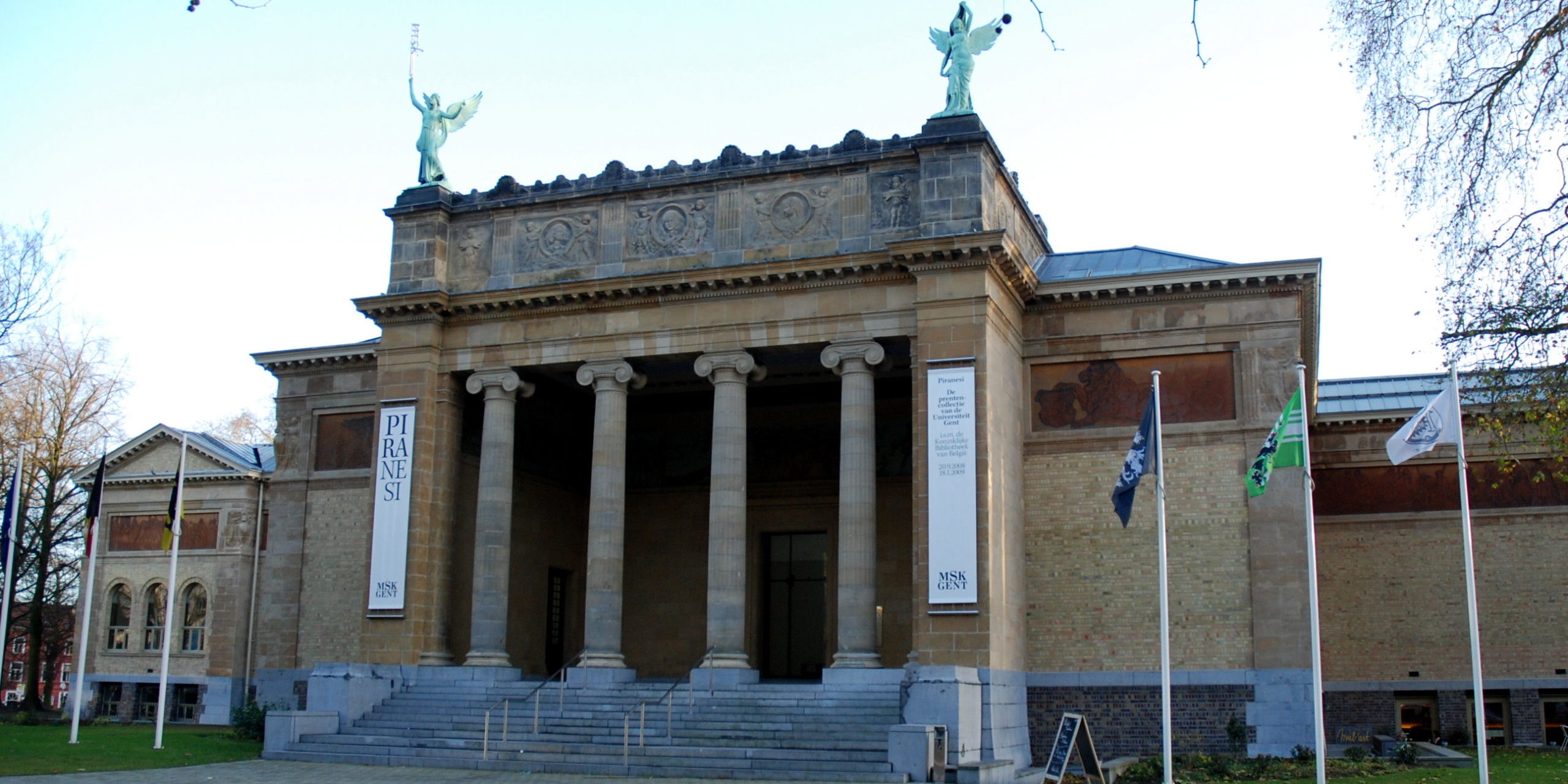
MSK Gent

Museum voor Schone Kunsten Gent

Bezoekersonthaal

bezoekersonthaal

Jan De Nul Federaal parlement Politiezone RIHO MSK Gent Bezoekersonthaal

[:nl]Meer info[:en]More info[:fr]Plus d’info[:]

[:nl]Wenst u de software te huren of meer info, aarzel dan niet ons te contacteren!
Gebruik onderstaand formulier of mail naar [email protected].

[:en]Would you like to rent the software or do you need more info, please don’t hesitate to contact us!
Use the form below or send an e-mail to [email protected].

[:fr]Vous souhaitez louer le logiciel ou plus d’informations, n’hésitez pas à nous contacter !
Utilisez le formulaire ci-dessous ou envoyer un e-mail à [email protected].

[:]